Turtle Beach Burst II Pro Review
If you’re the kind of gamer who obsesses over milliseconds, the Turtle Beach Burst II Pro might just be your new best friend. This isn’t your average gaming mouse—it’s a piece of hardware designed to squeeze every ounce of performance out of your setup. Turtle Beach has been making waves in the audio space for years, but with the Burst II Pro, they’re clearly aiming to dominate the competitive mouse market too.
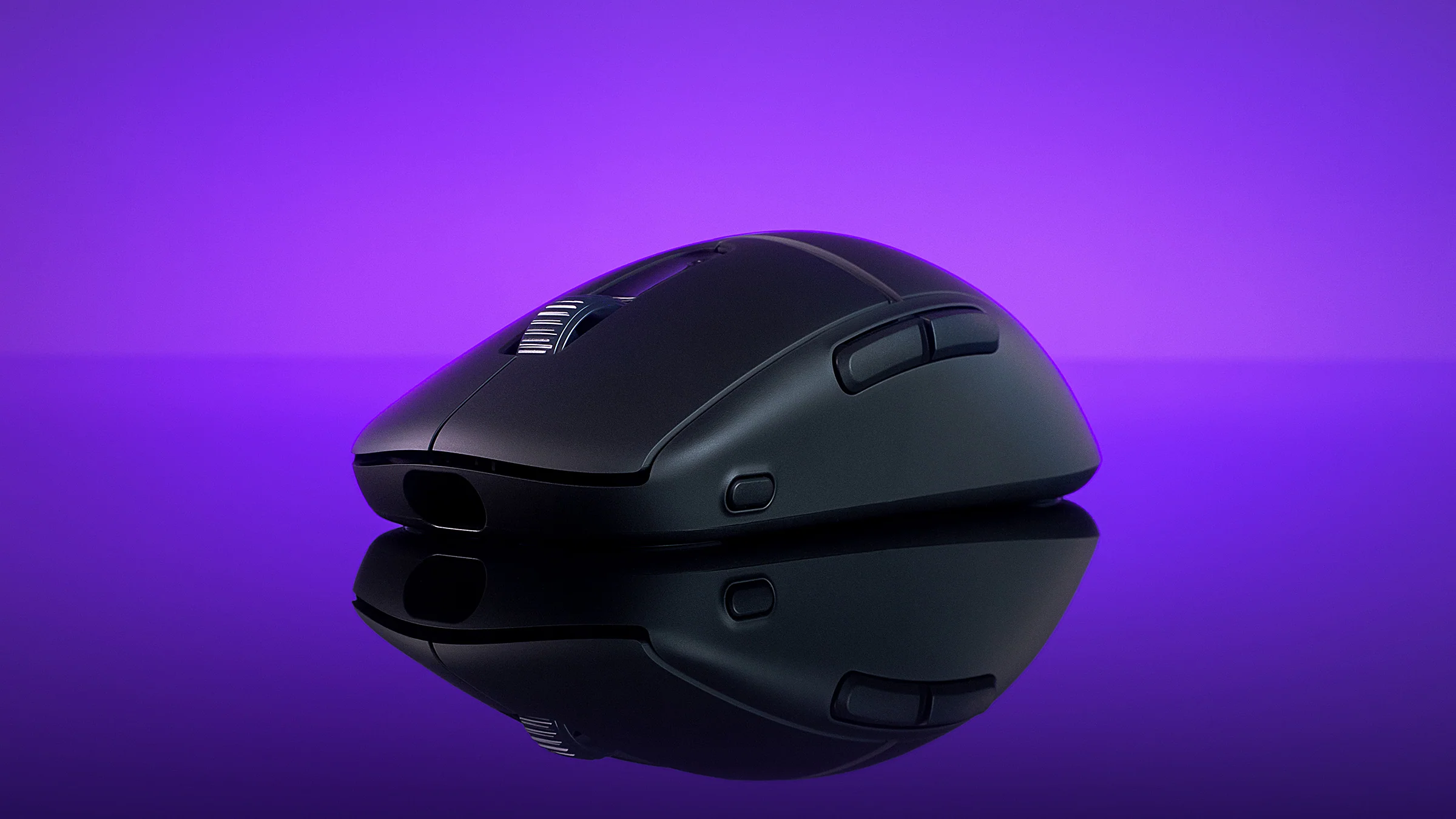
The first thing you notice when you pick up the Burst II Pro is how ridiculously light it feels. At just 57 grams, it’s almost like holding air, but it doesn’t feel cheap or fragile. The shell has a clean, symmetrical design that works well for claw and fingertip grips, so whether you’re flicking across the screen in a shooter or micro-managing units in an RTS, it feels natural. There’s no flashy RGB lighting here, and honestly, that’s refreshing. This mouse is all business—sleek matte finish, subtle accents, and a shape that screams “let’s win.”
Turtle Beach even throws in some thoughtful extras: multiple sets of PTFE skates for different glide preferences, grip tape for added control, and their PhantomFlex cable for wired play. These little touches make it clear they’re catering to serious gamers who love to fine-tune their gear.
Now, let’s talk speed. The Burst II Pro boasts an Owl-Eye sensor with a jaw-dropping 30,000 DPI. That’s way more than most people will ever need, but it’s nice to know the headroom is there. Tracking feels flawless, even on glass surfaces, and the resolution accuracy is practically perfect. Combine that with a true 8,000 Hz polling rate and latency as low as 0.125 milliseconds, and you’ve got a mouse that responds faster than you can think. For competitive players, this is huge—every click, every flick, every micro-adjustment happens instantly.
The switches are another highlight. Turtle Beach uses Titan Optical switches rated for 100 million clicks, and they feel crisp and satisfying. You can even tweak debounce and pre-tensioning settings to shave off microseconds from your input timing. It’s the kind of customization that hardcore esports players drool over.
Wireless performance is solid too. You get about 40 hours of battery life at the full 8K polling rate, and if you dial it back to 1K, that jumps to 150 hours. Switch to Bluetooth and you’re looking at 165 hours, which is perfect for everyday use when you’re not gaming. Charging is quick thanks to the USB-C PhantomFlex cable, and you can play while it charges, so downtime is basically nonexistent.
Turtle Beach’s Swarm II software gives you all the usual bells and whistles—DPI tuning, polling rate adjustments, lift-off distance, and button remapping. There are eight programmable buttons, which is plenty for macros or game-specific commands. The interface is clean and easy to navigate, so you won’t spend hours figuring out how to set things up.
So, what’s the catch? Well, the Burst II Pro isn’t cheap. At around $139.99, it’s definitely a premium mouse, and for casual gamers, that price might feel like overkill. There’s also no RGB lighting, which might disappoint those who love a flashy setup. And while the DPI button placement works, it can feel a little awkward mid-game. Lastly, if you’re coming from the Burst II Air, you’ll notice this one is slightly heavier—though at 57 grams, it’s still ultralight compared to most mice.
The Turtle Beach Burst II Pro is a beast of a mouse. It’s fast, precise, and packed with features that competitive gamers will appreciate. If you’re chasing every millisecond and want a mouse that can keep up with your reflexes, this is absolutely worth the investment. For casual players, though, you might want to look at something a little more budget-friendly, because this mouse is unapologetically built for performance.
Article By Kevin Austin